
Disney Art Academy









Buy
Part of collection:
Art Academy
(last 3 games)
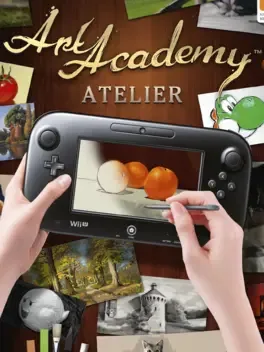
Art Academy: Home Studio (Art Academy Atelier in Europe) is the latest fully-featured Art Academy title and the first entry on home consoles. It is an eShop-only title in North America while being offered as a retail game in Europe.

Art Academy: SketchPad is a robust art application that anyone can enjoy - from beginners to experts of all ages. Unleash your creativity using realistic stylus and touch screen-based controls. The tools at your disposal allow for an amazing level of detail. The huge variety of pencils, colored pencils, and pastels behave just like the real thing – with additional tools to further enhance your experience. Use a pre-loaded image as a subject, or anything else you wish to create works of art to your heart’s content. When you’re done, you can instantly share your creation by posting directly to Miiverse!

Art Academy: Lessons for Everyone! is an interactive application that teaches real world art techniques anyone can enjoy-from beginners to experts of all ages. Discover more than 30 lessons, all using realistic stylus and touch screen-based tools for drawing and painting. Enjoy a robust Free Paint mode that lets you create to your heart's content using included subjects, or your own images taken with the Nintendo 3DS Camera—whenever and wherever the inspiration strikes.
Could be interesting
A fun and exciting typing game. Learn how to type through 40 kinds of mini-games! We have developed this app as a safe platform for children and adults around the world to use.

Discover your inner artist with the uDraw Studio: Instant Artist, and express your creativity utilizing the ultimate, easy-to-use and easy-to-learn art creation experience.

A 3D game making suite.
The 3rd edition of the beloved "Coloring book series" takes you to the aquarium! Let's dive into the coloring sea with sea life!
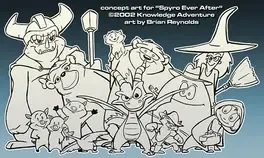
An unreleased educational game which would have had Spyro the Dragon meeting various fairy tale characters.
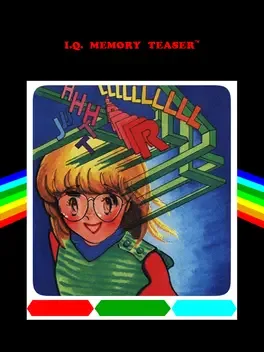
The title screen shows us 25 letters of the alphabet (where did the Z go?) and 5 symbols, representing little figures. If you press F1 to start, you will see the first screen with all the letters and symbols randomly presented and numbered from 1 to 30. If you move the blinking cursor with your joystick down (in the direction of the red arrows), the second screen will appear with the same letters and symbols also numbered 1 to 30, but in a different order. You will also be confronted by a horrible tune. While the tune is playing, you will have to memorize the positions of the letters and symbols of both the screens by looking at their corresponding number (use your joystick to move the cursor in the direction of the arrows to let the other screen appear) or just write down the thirty letters and symbols of one screen on a piece of paper. When the tune stops, all the letters and symbols of both screens will change into little squares and a timer will count down from 1000 to 0. You have to memory match the same letters (or symbols) by pressing fire when your cursor is on the correct square. When two letters (or symbols) match, you will get 1 point and the two matching letters (or symbols) will stay on screen. When the two letters (or symbols) don't match, they will change into little squares again. If you manage to match all the thirty letters and symbols before the timer reaches zero, you will be confronted by another horrible tune and the game will end. If you do not manage to match all the thirty letters and symbols before the timer reaches zero, you will still be confronted by the same horrible tune and the game will end. When the game has ended you are still able to move the cursor and change squares into letters (or symbols).
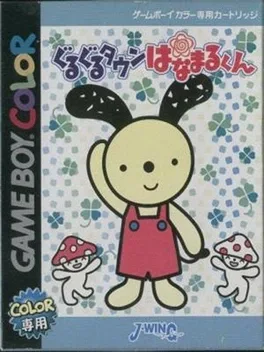
GBC version of the picture book "Hanamaru-kun" for young children. Educational software that allows you to learn the knowledge you need in your daily life through games such as errands, hideouts, and shiritori. You can enjoy the story as if you were watching a TV program, and you can study without knowing it.
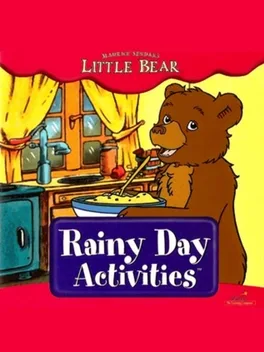
Little Bear Rainy Day Activities is a CD-ROM game published by Creative Wonders and The Learning Company in 1999, based on the Little Bear books and television series. Little Bear finds lots of fun indoor activities to play on a rainy day. The activities in the game are all intended for ages 3 and up.

Popular coloring game is back. Come see your favorite ZOO animals!
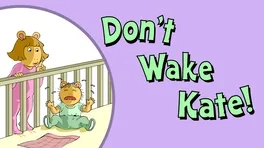
D.W. is thirsty. Help her get as many glasses of water as she can without waking Baby Kate.